

Review Vault may receive affiliate commissions from purchases completed via our resource links at zero supplementary expense to you, without shaping our scoring integrity. Undertaking an objective activecampaign review helps scaling ventures determine whether investing in an advanced customer experience automation suite matches their daily capacity and organizational strategy. As an independent testing body, Review Vault delivers grounded software assessments focused on real-world execution rather than promotional claims.
Deploying centralized automation infrastructure must ultimately lighten administrative drag rather than introduce technical gridlock. Carefully weighing sophisticated logic capabilities against implementation overhead guarantees your business selects software that empowers sustainable expansion.
Quick verdict: Registering a cumulative rating of 7.9/10, ActiveCampaign stands out for expanding enterprises, online agencies, and performance teams requiring multi-branch automated journeys linked with sales deal tracking. It remains ill-suited for individual creators who merely desire basic newsletter broadcasting without technical setup.
| Evaluation Metric | Key Takeaways |
|---|---|
| Review Vault Score | 7.9/10 |
| Optimal Audience | Teams requiring multi-condition behavioral sequences and unified deal pipelines |
| Less Suitable For | Solo operators needing quick email dispatch without complex setup |
| Core Capabilities | Branching workflow designer, real-time tagging, and consolidated subscriber history |
| Pre-Purchase Check | Verify audience volume brackets, user seat fees, and renewal guidelines on the vendor site |
Our Assessment Methodology
Our editorial analysis breaks down ActiveCampaign's capabilities, primary audiences, and competitive value through seven distinct evaluation pillars: functional depth, user interface usability, cost-to-value ratio, third-party ecosystem, operational fit, customer service accessibility, and competitive standing. Because subscription limits and platform pricing evolve frequently, shoppers should verify current tier terms directly with the provider prior to subscribing. Researched using digital intelligence tools, this report was systematically refined by our senior editorial staff.
Platform Overview and Ideal User Profiles
ActiveCampaign acts as a customer experience automation engine, combining multi-channel email campaigns, dynamic workflow logic, and native CRM tracking within a unified framework. It specifically resolves the challenge of managing lead progress, automated transactional notifications, and granular list segmentation without juggling fractured software tools.
By deploying unified infrastructure, businesses remove data gaps between top-of-funnel campaigns and bottom-of-funnel sales pipeline operations. Organizations coordinate customer lifecycles smoothly, from initial opt-in sequences to ongoing retention and loyalty programs.
Primary Beneficiaries and Operational Scenarios
Growing organizations, digital agencies, and professional service groups that orchestrate intricate subscriber interactions gain maximum utility from this architecture. Marketers utilizing behavioral triggers—like specific page hits, link interactions, and shopping cart events—benefit immensely from its conditional routing rules.
In contrast, firms demanding simple announcement broadcasts generally find the extensive logic configuration redundant. If your operational target is merely distributing an occasional email to an unsegmented list, standard mailing tools offer a more cost-effective alternative.
Functional Breakdown and Automation Engine

Selecting an automation platform necessitates inspecting how effectively its visual logic tools, audience segmentation controls, email layout editors, and deal pipelines operate in practice.
Visual Workflow Builder
The visual workflow environment enables administrators to construct adaptive journeys responding dynamically to contact behavior. Operations trigger when users complete specific actions, such as submitting a form, earning a tag, or browsing a tracked URL, leading subscribers through branching routes.
These pathways incorporate wait intervals, multivariate split experiments, and goal checkpoints that route subscribers into targeted communication branches. Such structured execution preserves staff hours while ensuring consistent lead handling across internal departments.
Dynamic Tagging and Deep Segmentation
Audience categorization systems organize contact records dynamically using behavioral data, location markers, and custom purchase metrics. ActiveCampaign supports advanced multi-variable conditions, permitting administrators to create exact subscriber cohorts.
Automated tagging logs engagement patterns throughout the customer lifecycle. This persistent intelligence enables teams to deploy tailored content without continually assembling custom distribution lists for every single broadcast.
Campaign Drafting and Deliverability Monitoring
The campaign workspace provides pre-built layouts, intuitive design tools, and conditional content modules that display custom copy or graphics according to individual user tags. Consequently, a single scheduled broadcast can deliver personalized messaging across diverse customer cohorts.
Integrated deliverability oversight tracks bounce trends, spam metrics, and opt-out workflows. Proactive reputation monitoring protects sender authority across sustained high-volume schedules.
Embedded CRM and Deal Management
The native contact directory aggregates communication records, on-site interactions, and lead engagement scores within structured contact profiles. Internal teams monitor sales stages via visual deal boards, shifting opportunities automatically as prospect interactions advance.
Connecting marketing activity directly with sales pipelines ensures client managers instantly understand past campaign engagements. Furthermore, automated task triggers alert representatives whenever key accounts demonstrate renewed purchasing intent.
User Interface and Implementation Learning Curve
Usability in robust automation systems requires navigating a compromise between comprehensive flexibility and interface density. Although foundational tasks remain accessible, deploying multi-tiered conditional branching requires systematic strategy and upfront training.
First-time administrators frequently encounter obstacles when organizing field structures, configuring nested triggers, and implementing consistent contact taxonomy. Formulating standardized naming rules early minimizes system disorganization as customer volume scales.
Establishing clear tagging conventions and workflow diagrams prior to activation safeguards against broken trigger loops and unorganized customer records.
Organizations should budget for a deliberate adoption runway during initial deployment. Mapping communication paths on paper before configuring triggers inside the platform yields noticeably cleaner rollouts than spontaneous setups.
Platform Strengths and Operational Trade-Offs
Reviewing structural benefits alongside operational constraints ensures realistic expectations before entering a subscription commitment.
Key Operational Strengths
- Drag-and-drop workflow designer accommodates complex branching logic and responsive behavioral triggers.
- Centralized architecture bridges marketing dispatches and pipeline stage progression in a single portal.
- Precision segmentation modules enable customized messaging tailored to granular contact behaviors.
- Broad architectural versatility supports diverse service workflows and business operations.
Operational Trade-Offs and Recommended Solutions
- Steep technical learning curves can delay onboarding for inexperienced operators; mitigate this via phased rollouts and foundational staff workshops.
- Complex interface density requires structured navigation routines; resolve this by building standard internal documentation.
- Ongoing governance is required to prevent overlapping triggers and duplicate tag creation over extended usage periods.
- Feature sets diverge noticeably across pricing tiers, making upfront verification of necessary features on the vendor site mandatory.
Competitive Market Landscape
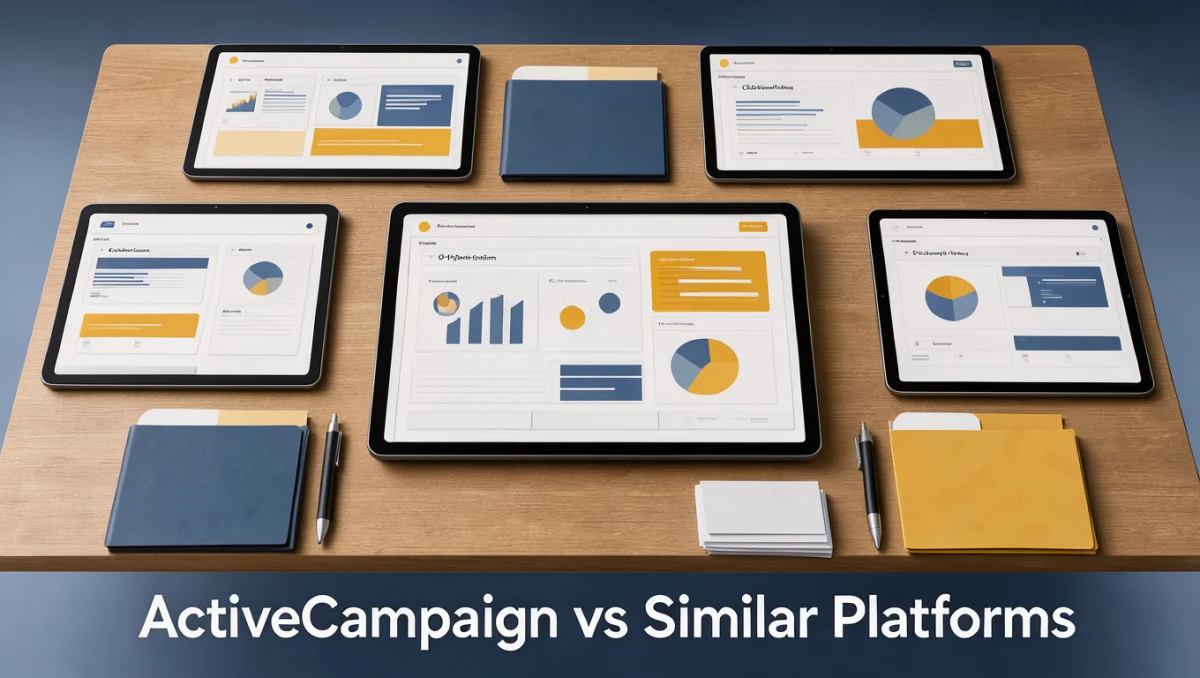
Comparing ActiveCampaign against alternative solutions clarifies which platform aligns with your team's technical capacity and operational scope.
| Software Solution | Market Stance | Core Operational Focus | Main Trade-Off |
|---|---|---|---|
| ActiveCampaign | Customer experience automation suite | Branching workflow logic and integrated CRM pipelines | Requires formal team onboarding |
| Mailchimp | Broad-audience marketing engine | Template-led email newsletter distribution | Prioritizes beginner simplicity over advanced logic |
| HubSpot | Enterprise revenue operations platform | Unified inbound methodology and enterprise CRM systems | Wide operational footprint and higher cost overhead |
| Klaviyo | E-commerce relationship platform | Transaction-driven behavioral triggers for online merchants | Built almost exclusively around digital store metrics |
| Brevo | Multichannel communication suite | Transactional notifications and fundamental marketing tools | Optimized for basic multi-channel broadcasts |
Businesses operating across the broader Marketing technology landscape must weigh specialized workflow sophistication against all-inclusive operational packages. Tools such as Mailchimp prioritize swift broadcast creation for small ventures, while HubSpot provides deep structural governance across multi-department corporations.
ActiveCampaign occupies the middle ground by delivering rich automation depth without enforcing the heavy administrative framework of enterprise systems. Evaluate whether your team requires quick broadcasting, retail transactional insights, or intricate cross-team automation.
Audience Suitability and Use Cases
Software fit hinges on operational size, available technical skills, and the primary demands of your customer retention strategy.
Independent Consultants and Freelancers
Solo professionals managing high-value advisory projects can leverage automated onboarding sequences to qualify prospective clients without constant inbox management. However, operators delivering simple transactional services with limited client lists may find initial configuration disproportionate to their basic needs.
Small Business Operators
Owners managing local service firms or specialized web shops profit by feeding inbound prospect inquiries straight into organized sales funnels. Automating outreach routines guarantees rapid communication while eliminating repetitive administrative burdens.
In-House Marketers and Agencies
Agency teams and growth specialists represent the primary audience extracting maximum leverage from this automation environment. Campaign managers can engineer tailored client journeys, monitor engagement signals, and track funnel conversion metrics across distinct client accounts.
Enterprise Administrative Teams
Corporate administrative departments can harness automated flows to direct internal inquiries and coordinate team events. Nonetheless, institutions operating under rigid IT governance mandates must confirm cloud-hosted systems comply with internal security policies.
Non-Commercial Users and Students
Hobbyists and learners exploring basic digital outreach usually encounter unnecessary friction within commercial-grade automation systems. Simpler mailing utilities offer a much more approachable entry point for mastering foundational outreach fundamentals.
Scenarios Where Alternatives Excel
Firms that should consider other software include casual blog publishers, operations without dedicated marketing staff, and teams purely needing basic transactional order receipts. In these environments, straightforward email dispatch tools provide immediate utility without unnecessary platform complexity.
Subscription Selection Guidelines
Software-as-a-Service tiers frequently adjust fees according to active subscriber counts, administrative seats, and specialized capabilities. Carefully inspect tier breakdowns to avoid unforeseen expense hikes as your database expands.
| Pricing Factor to Verify | Operational Significance |
|---|---|
| Subscriber threshold brackets | Tier boundaries govern baseline subscription pricing as your subscriber directory grows |
| Included administrator seats | Adding team members may demand plan upgrades or additional recurring seat costs |
| Advanced automation access | Complex logic conditions or specialized deal pipelines may be reserved for top tiers |
| Historical activity tracking | Contact event records and interaction histories may operate on specific retention timelines |
| Technical support tiers | Different subscription grades unlock varying levels of priority assistance and guidance |
To keep ongoing expenses predictable, evaluate your active subscriber base and eliminate unengaged or invalid addresses before migration. Cross-reference the official plan documentation to verify that mandatory day-to-day tools sit within your chosen tier.
Common Inquiries
How should teams prepare contact data ahead of migration?
Audit current subscriber files, purge unresponsive or bounced contacts, and standardize all existing tag labels. Developing a clear schema guarantees that historical data imports accurately into custom attributes without producing duplicate entries.
What factors impact overall software investment past baseline pricing?
Long-term costs reflect expanding contact numbers, supplementary administrative seats, and premium integration plugins. Calculating anticipated subscriber growth across a full calendar year creates an accurate operational budget.
What onboarding duration is normal for a small team?
Deployment schedules vary based on database hygiene and workflow complexity. Simple newsletter dispatch can launch within a few days, whereas comprehensive multi-branch sequences and CRM pipelines generally demand a few weeks of deliberate assembly and validation.
Which practices prevent automation errors over time?
Implementing structured labeling protocols for tags and sequences prevents accidental trigger cross-talk. Routine quarterly reviews ensure retired messaging paths are deactivated before generating errors for active contacts.
When should an expanding venture upgrade its plan level?
Upgrading becomes necessary when subscriber counts breach current tier ceilings or when team workflows require advanced permission controls and deep reporting insights. Monitoring platform utilization quarterly helps leaders recognize when an upgrade is genuinely necessary.
Final Evaluation
ActiveCampaign delivers an advanced customer experience engine built for organizations that view behavioral automation as a core revenue engine. While the system requires deliberate upfront learning and consistent database hygiene, its capacity to merge intricate automation logic with sales pipeline management offers substantial value for expanding businesses.
| Review Pillar | Rating /10 | Summary Evaluation |
|---|---|---|
| Features | 8.5/10 | Advanced visual automation tools, dynamic contact tagging, and integrated deal boards deliver strong operational versatility. |
| Ease of Use | 7.0/10 | Extensive functional depth produces a noticeable learning curve requiring structured administrative preparation. |
| Pricing and Value | 7.5/10 | Tiered models scale alongside contact growth, meaning buyers must inspect exact tool distribution on the vendor pricing chart. |
| Integrations | 8.0/10 | A rich application network allows dependable synchronization with standard web tools, payment processors, and capture forms. |
| Audience Fit | 8.5/10 | Strongly suited for growing companies, digital agencies, and marketing units actively coordinating multi-step subscriber funnels. |
| Support | 7.5/10 | Helpful documentation and troubleshooting libraries offer reliable answers, although direct assistance channels vary by tier. |
| Competitive Position | 8.0/10 | Maintains a clear market advantage by delivering deeper logic options than introductory tools without enterprise-level complexity. |
Cumulative Review Vault Rating: 7.9/10
For ambitious organizations and digital agencies ready to develop structured, multi-step customer journeys, ActiveCampaign serves as a reliable, forward-thinking platform. If your company purely requires basic monthly broadcasts, lightweight alternatives will help you avoid paying for complex features you will not utilize.