
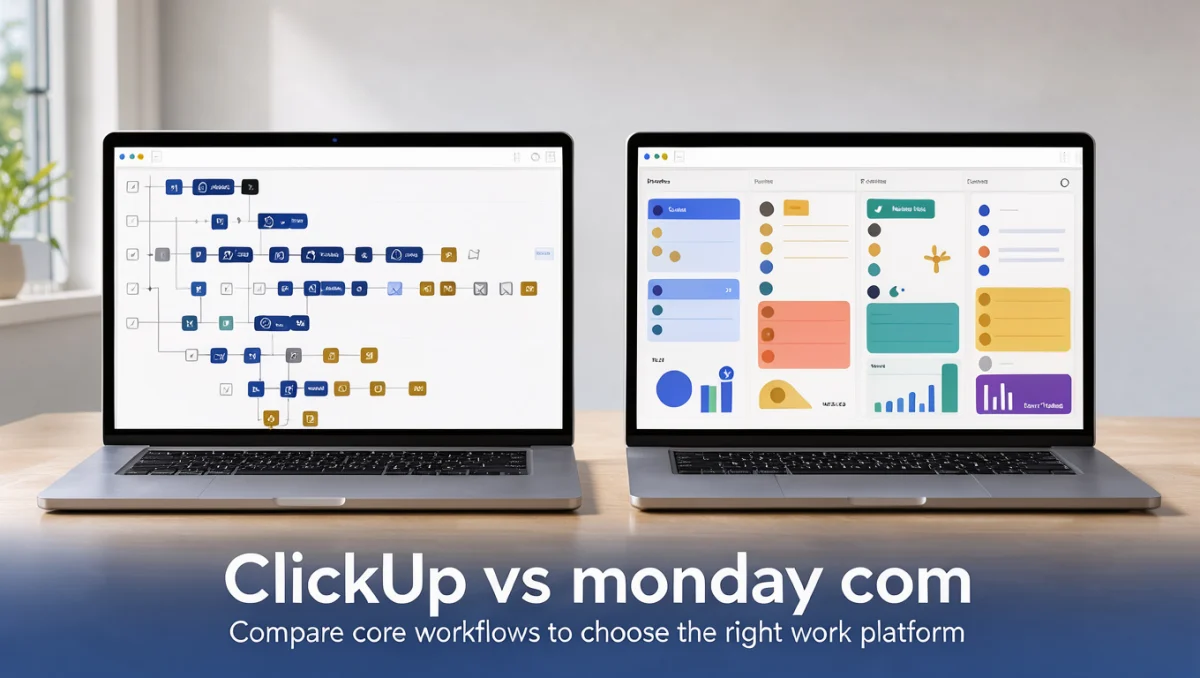
Teams evaluating work management software often narrow their list to two strong options. Our clickup vs monday com comparison explains where each platform excels, so you can match the tool to how your organization actually works. Both help coordinate deadlines, dependencies and milestones, but they take noticeably different paths to get there.
The core question is whether your group values layered task structures or immediate visual clarity. The sections below walk through that decision in plain terms, with an overall reviewvault score of 7.9/10 for the pair.
| Metric | Summary |
|---|---|
| reviewvault score | 7.9/10 |
| Best for | Organizations coordinating collaborative cross-functional work across several departments |
| Not ideal for | Individuals who only keep simple personal checklists |
| Key strengths | Layered task structuring, multiple visual work views, and centralized communication hubs |
| What to check before buying | Confirm user access tiers and collaboration permissions on the official vendor websites |
How We Assessed Both Platforms
We examined what each product is built to handle, which teams it suits, and how it stacks up against comparable tools. Our evaluation covers seven criteria: features, ease of use, pricing and value, integrations, audience fit, support and competitive position. Plans and prices change frequently, so treat the points below as a starting checklist and verify current details on each vendor's site before purchasing. This article was researched and drafted with AI assistance, then reviewed and edited by the reviewvault Editorial Team.
Quick Answer on ClickUp and monday.com
The choice between these two usually comes down to whether your team prefers deep multilevel task nesting or straightforward visual boards. ClickUp offers detailed hierarchy modeling for teams that break complex deliverables into subtasks, nested lists and linked dependencies, giving technical and operations groups broad structural control.
monday.com, by contrast, presents work through color-coded tables and visual status indicators that non-technical staff can read at a glance. It emphasizes cross-team coordination, letting sales, marketing and operations share updates through common column setups.
Side-by-Side Positioning

| Tool | Best for | Core strength | Consider if |
|---|---|---|---|
| ClickUp | Teams needing detailed hierarchy modeling and granular task tracking | Multilevel task structuring and cross-view organization | Your projects require extensive subtask relationships and custom statuses |
| monday.com | Organizations prioritizing visual board management across diverse teams | Intuitive table columns and colorful progress indicators | You need straightforward status boards for multi-department visibility |
Evaluation Across Our Seven Criteria
Features
Work management software has to track assignments, timelines and deliverables across varied project portfolios. ClickUp organizes work through a layered structure of spaces, folders, lists and nested tasks. That arrangement lets software teams, agencies and operations units set distinct configurations for each division, with checklists, dependencies and multiple assignees available on tasks.
monday.com builds features around modular boards made of customizable column types. Users can assign people, adjust progress stages, set target dates and group items into sections. The platform also includes digital whiteboards, shared document editing and interactive dashboards that pull departmental activity into one view.
Ease of Use
How quickly a team adopts a tool determines whether it delivers value at all. monday.com provides a plain visual canvas where work items look like spreadsheet rows with interactive color fields. New users generally grasp how to update owners and read project stages with little onboarding.
ClickUp feels denser because of its wide range of settings, layout controls and viewing angles. That flexibility is valuable, but teams usually need clear admin guidelines to prevent conflicting custom fields. Groups looking to cut manual data entry sometimes explore Artificial Intelligence workflow tools to shorten the learning curve on complex setups.
Pricing and Value
Buyers should weigh the full licensing structure rather than the headline subscription rate. Both platforms use recurring, multi-tier plans where capabilities expand at higher levels. Check seat minimums on the official pricing pages, since some contracts require buying users in batches, which affects total spend.
Before signing a long-term agreement, confirm which collaboration views, activity history and admin permissions belong to each tier. A seat audit helps you pay only for active collaborators while managing guest access efficiently.
Integrations
A shared project environment has to connect cleanly with email, file storage and development tools. Both vendors support links to common email services, cloud storage providers and team chat apps, which keeps task data from getting siloed. Review each vendor's official integration directory to confirm support for the systems your business relies on most.
Notifications reach staff in their main communication channels only when those connections are set up properly. Project managers should verify authentication standards and sync rules before linking third-party apps to core boards.
Audience Fit
Fit depends on how your team thinks about progress and workflow stages. ClickUp suits software engineers, design agencies and operations specialists who need nested task trees, custom status definitions and fine-grained control. It works well when a delay in one task directly affects dependent items.
monday.com fits cross-functional departments such as marketing, human resources and project management offices that want immediate visual clarity. Teams that share boards with outside stakeholders often choose it for its uncluttered presentation.
Support
Access to help matters when rolling out company-wide coordination software. Review the help channels, self-service knowledge bases and community forums each vendor offers. Many providers tie direct assistance to subscription level, so confirm what your plan includes during evaluation.
Organizations with strict uptime requirements should discuss enterprise onboarding and dedicated account support with vendor representatives before signing.
Competitive Position
Both products compete in a broader market that includes Asana, Trello and Smartsheet. Asana emphasizes milestone tracking and portfolio management, Trello focuses on simple card-based workflow movement, and Smartsheet targets spreadsheet-oriented schedules for enterprise governance.
ClickUp presents itself as an expansive workspace that can replace several single-purpose tools through deep customization. monday.com presents itself as a flexible work operating system where teams assemble custom dashboards from modular components.
How to Choose Between ClickUp and monday.com
Picking the right platform means looking closely at your team's habits, technical needs and workflow maturity. Reading independent software reviews from Review Vault can add useful context before you commit to a long-term subscription.
- Assess project complexity: If deliverables involve multi-tier subtasks, cross-project dependencies and granular tracking, ClickUp provides the structural depth you need.
- Evaluate interface preferences: If adoption depends on visual clarity, clean status indicators and approachable table boards, monday.com lowers visual friction.
- Audit administrative overhead: Decide whether you have people to configure custom fields and folder hierarchies, or whether you need boards that work well right out of the box.
- Review stakeholder visibility needs: Consider how often executives or external partners need to check project health without navigating nested workspaces.
Frequently Asked Questions
What drives the total cost of project management platforms?
Total expense is shaped by seat counts, admin permission requirements and advanced reporting features. Many vendors require buying seats in fixed bundles, and advanced workspace controls may sit only in higher tiers. Compare the official plan tables against your actual user count before deciding.
How should a team prepare before switching work tools?
Document current workflows, audit legacy tasks and agree on naming conventions before moving to a new system. Archiving completed work prevents clutter during onboarding. A short pilot with one department helps refine custom statuses and templates before a company-wide rollout.
What is the difference between a task hierarchy and a visual board?
A task hierarchy arranges deliverables into nested levels such as spaces, folders, parent tasks, subtasks and checklists, offering precise control over complex breakdowns. A visual board arranges items across customizable columns and status stages, favoring horizontal visibility and quick status recognition across teams.
How do organizations know when to move to a higher tier?
Businesses usually need a higher plan when their project portfolio outgrows basic reporting, when they require custom security controls, or when they need separate permissions for different departments. Reviewing admin limits on the pricing page shows whether advanced rollups and audit logs justify the upgrade.
Final Verdict on ClickUp vs monday.com
ClickUp and monday.com represent two mature approaches to modern project coordination. Teams that want detailed task nesting and broad customization will find ClickUp matches their technical requirements. Organizations that value visual simplicity, intuitive color-coded boards and fast cross-department adoption will benefit from the modular design of monday.com.
| Criterion | Score /10 | Reason |
|---|---|---|
| Features | 8.5 | Both platforms offer rich task tracking, multiple views and collaborative workspaces. |
| Ease of Use | 8.0 | Visual boards onboard faster, while deep hierarchies require deliberate planning. |
| Pricing and Value | 7.5 | Tier structures deliver strong utility, though buyers must review seat bundles and access limits. |
| Integrations | 7.5 | Broad ecosystem connectivity links core boards with external productivity and communication tools. |
| Audience Fit | 8.5 | Each platform serves distinct needs, from complex operational tracking to visual status reporting. |
| Support | 7.0 | Assistance varies by subscription tier, so confirm details on official vendor portals. |
| Competitive Position | 8.0 | Both hold strong standing against established project tracking platforms. |
Overall score: 7.9/10
Freelancers and solo contractors may find lightweight personal checklist apps more practical than either enterprise-scale system. Small business owners managing technical workflows and multi-step production pipelines will appreciate ClickUp's deep hierarchy. Marketing agencies and operations teams coordinating cross-functional deliverables with external partners will find monday.com's visual layout highly effective.
For specific questions about choosing work management software, contact our team at https://reviewvault.net/contact/ or follow reviewvault on LinkedIn at https://www.linkedin.com/company/reviewvault/ for ongoing analysis.