
reviewvault may earn a commission when you buy through links on this page, at no extra cost to you. This does not affect our ratings.
Students juggling tight budgets can often reach dedicated antivirus plans through a bitdefender student discount. Campus life brings constant online exposure, so reliable endpoint protection has become a practical necessity for coursework. At Review Vault, we help buyers weigh subscription terms without leaning on unverified promises or expired offers.
Learners need steady malware defense, web filtering, and coverage across several devices while researching on academic portals. Verification networks sometimes partner with security vendors to offer targeted rates, yet every buyer should confirm active eligibility rules directly on the official Bitdefender site before placing an order.
Quick verdict: Scoring 8.0/10 overall, this cybersecurity platform suits students and remote academics who want dependable protection against malware and web threats, but it is less suitable for organizations that need centralized administrative controls or specialized IT policy enforcement.
| Metric | Assessment |
|---|---|
| reviewvault score | 8.0/10 |
| Best for | Students and home scholars needing reliable personal device protection |
| Not ideal for | IT administrators requiring centralized multi-endpoint console policies |
| Key strengths | Malware prevention, behavioral threat detection, and automated web defense |
| What to check before buying | Academic verification terms, renewal conditions, and device allowances |
1. How reviewvault Reviewed Bitdefender
This review examines what Bitdefender is built to do, who it serves, and how it compares with similar tools. We applied seven reviewvault criteria: features, ease of use, pricing and value, integrations, audience fit, support, and competitive position. Plans, prices, and limits change frequently, so we point out what to confirm on the official website before buying. This article was researched and drafted with AI assistance, then reviewed and edited by the Artificial Intelligence editorial team at Review Vault.
2. Understanding Cybersecurity for Academic Environments
Antivirus utilities provide real-time protection against malicious files, phishing attempts, and ransomware across personal workstations. Enrolled scholars regularly connect to open campus networks, shared dorm routers, and collaborative research repositories, which raises exposure to compromised links and harmful downloads. Securing these touchpoints helps prevent data loss during critical exam periods.
Modern malware tools run background scanners that catch unauthorized script execution before corrupt payloads can act. For learners on portable machines, baseline protection includes automatic signature updates, behavioral monitoring, and malicious link blocking. Before using any student pricing, review whether the educational terms match your current study cycle and device inventory.
2.1. Why Academic Verification Systems Exist
Software vendors set up student validation workflows to prevent unauthorized use of specialized educational rates. Many providers rely on third-party authentication services that confirm enrollment through institutional email addresses, student ID cards, or registrar databases. These checks ensure that reduced pricing reaches verified students rather than general consumers.
Reviewing authentication requirements in advance saves time during term registration. If your university does not work with recognized identity clearinghouses, vendors often offer alternate document submission channels. Confirm on the official Bitdefender portal which credentials satisfy enrollment validation.
2.2. Threat Vectors Facing Contemporary Students
Higher education research means navigating diverse repositories, downloading academic documents, and using third-party browser add-ons. Untrusted downloads can introduce spyware or data loggers onto personal machines. Dedicated security suites neutralize these risks by intercepting suspicious file transfers before they run.
Phishing campaigns also routinely target campus portals, attempting to hijack institutional accounts and financial aid profiles. Modern threat intelligence modules inspect site authenticity and flag suspicious domain redirects. Many tools in the broader Artificial Intelligence landscape help security engines recognize emerging behavioral anomalies, which underscores the value of real-time endpoint scanning.
3. How to Find Genuine Bitdefender Deals for Students
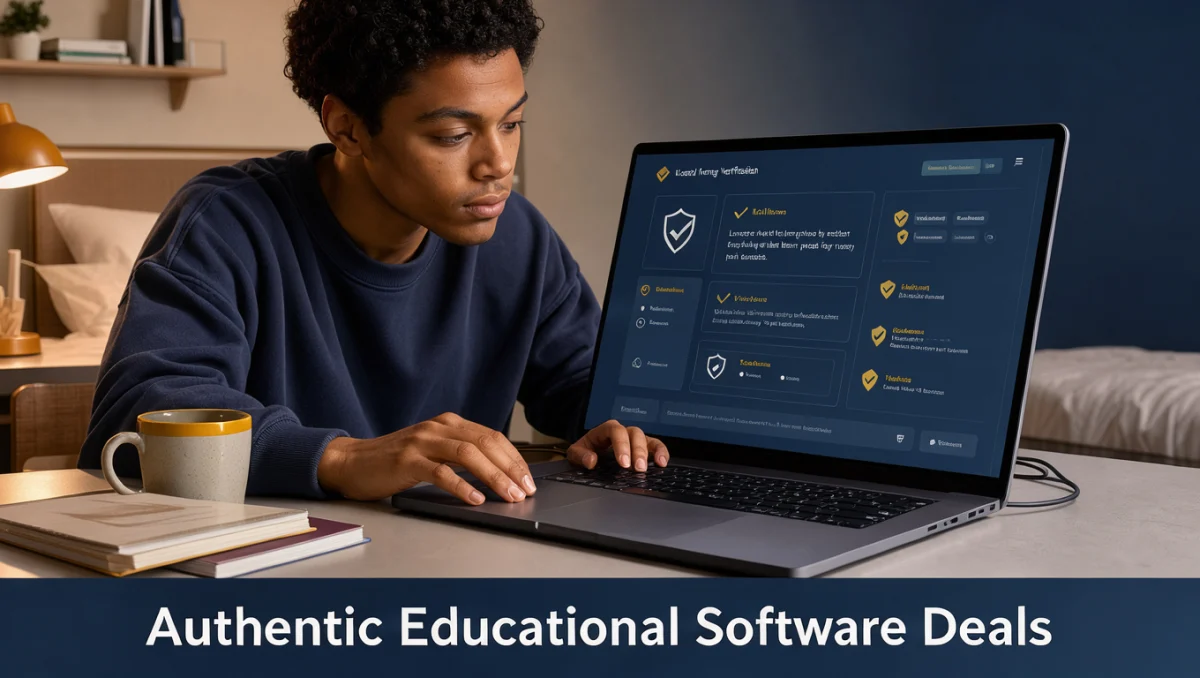
Finding verified educational reductions means consulting authorized vendor channels rather than third-party aggregator blogs. Software vendors typically structure authentic campus savings through official university portals, accredited academic identity clearinghouses, or dedicated education pages hosted on their primary storefronts. Avoiding unaccredited deal directories protects your financial accounts from deceptive tracking cookies.
Start by visiting your university bookstore portal or student union IT services directory. Campus technology offices often curate approved software vendor relationships and list direct links to verified academic purchasing paths. This confirms that any arrangement you apply for is authentic and authorized by the publisher.
3.1. Official Educational Verification Pathways
Accredited academic clearinghouse networks ask students to authenticate using valid campus email domains or national enrollment registries. Once verified, the student receives a secure, single-use purchase link or checkout token tied to their educational identity. This structure maintains pricing integrity while keeping licensing handoffs clean.
Prospective buyers should make sure their academic email inbox accepts external registration notices before starting the verification process. On the official Bitdefender account settings page, check how multi-year student renewals work after graduation so your coverage continues without a gap.
3.2. Timing Purchases Around Academic Cycles
Educational promotions across the software industry often align with back-to-school periods and semester starts. Security developers frequently refresh promotional availability in late summer and early winter to accommodate incoming classes. Scheduling renewals around these dates can help you manage recurring software spending.
Even during peak enrollment periods, verify checkout details on authentic store subdomains. Confirm that the shopping cart belongs to the official vendor infrastructure before submitting billing information.
4. How to Spot Fake Coupons and Deceptive Deal Websites
Third-party coupon aggregators frequently advertise unrealistic markdowns, expired promo codes, and fabricated vouchers designed to collect clicks. These sites publish sensational headlines promising impossible price cuts simply to place tracking cookies in your browser. Recognizing predatory patterns protects students from fraudulent transaction portals.
Untrustworthy promotional hubs often show generic countdown timers, unverified user testimonials, and voucher fields that do nothing. If an external directory claims an exclusive code that fails inside the official shopping cart, the listing is misleading clickbait rather than genuine vendor participation.
4.1. Identifying Suspicious Checkout Redirects
Predatory marketing portals sometimes route visitors through multi-hop redirect chains that land on clone storefronts imitating legitimate vendors. These phishing environments aim to capture card details or distribute adware installers disguised as license managers. Always check the primary domain in your address bar before entering payment information.
Legitimate antivirus purchases run exclusively through verified vendor payment processors with valid security certificates. The Review Vault editorial team advises shoppers to abandon any transaction where the cart originates from an unverified third-party domain.
4.2. Understanding Risks Associated with Grey-Market Keys
Unlicensed auction sites often sell unauthorized activation codes sourced from overseas bulk allocations or compromised corporate accounts. Product keys bought from unauthorized marketplaces carry serious risks, including sudden deactivation when security audits flag illicit resale. Grey-market licenses also offer little recourse if installation problems arise.
Security software needs a steady connection to vendor threat intelligence servers to receive real-time patches. Keys obtained without official authorization risk immediate blacklisting, leaving student machines exposed mid-semester with no refund path.
5. Checklist Before Applying a Deal
Before entering payment details for any cybersecurity promotion, audit the operational terms to confirm the software fits your academic setup. The matrix below highlights key points to verify on official vendor pages.
| Verification Point | Why It Matters | Who Should Check |
|---|---|---|
| Enrollment Criteria | Confirms whether part-time or distance learners qualify for educational rates | Non-traditional students and graduate researchers |
| Device Allowances | Ensures license coverage extends to all laptops, desktops, and tablets in use | Students operating cross-platform hardware setups |
| Renewal Terms | Prevents unexpected billing changes when the initial promotional period ends | Long-term scholars planning multi-year degree programs |
| Feature Consistency | Guarantees that academic versions include core behavioral scanners and web shields | Users requiring comprehensive system-wide malware defense |
| Refund Policies | Provides financial recourse if the software conflicts with campus software stacks | Buyers testing compatibility with specialized laboratory tools |
5.1. Evaluating Core Technical Specifications
Antivirus suites should run unobtrusively in the background without slowing resource-heavy academic work. Students in disciplines such as software engineering, multimedia design, or statistical modeling should confirm that automated file shields work alongside specialized compilers and local development environments.
Check the official Bitdefender documentation to see how background scans are scheduled, so maintenance runs during planned free time rather than during active lectures.
5.2. Clarifying Multi-Device Protection Needs
Modern learners rarely rely on a single device, often moving between desktop towers, laptops, and phones over a single study day. An endpoint license that covers too few machines leaves secondary equipment open to network intrusion, so your total device count should drive your choice.
Check the vendor portal to see how seats are allocated across different operating systems. Covering your entire personal tech stack creates consistent defenses against malicious email payloads and phishing attempts.
6. Bitdefender Core Strengths and Market Alternatives
Bitdefender holds a well-defined position in the consumer security market, emphasizing proactive behavioral telemetry and layered system defense. Alongside rivals such as Norton, Kaspersky, and McAfee, these developers build security ecosystems that automate file quarantine, suspicious script containment, and malicious domain blocking.
Norton traditionally highlights identity recovery features and McAfee focuses on bundled home device coverage, while Bitdefender centers its design on lightweight system footprints and automated threat response. Comparing alternatives against your own computing habits helps you strike a balanced level of protection.
6.1. Balancing Functional Depth and Usability
Security tools should stay accessible to general users who prefer automated defaults over complicated manual firewall settings. Straightforward dashboards let students review device health, launch targeted scans, and manage quarantine vaults without wading through networking jargon.
Advanced research students may want finer controls, such as excluding specific development folders or managing custom port rules. Review the interface overviews on the vendor website to judge whether the navigation suits your technical comfort level.
6.2. Analyzing Subscription Economy Considerations
Cybersecurity purchases rely mainly on recurring annual subscriptions. Educational incentives offer early savings, but buyers should budget for the eventual return to standard renewal pricing after graduation. Understanding total ownership cost prevents surprise charges later.
Track licensing milestones with calendar reminders. Reviewing your security needs each year lets you decide whether staying with your current vendor still makes sense compared with other market options.
7. Who Should Use Bitdefender
7.1. University Undergraduates and Campus Residents
Students living in shared dormitories often connect personal machines to densely populated local networks. These networks carry higher exposure to lateral worm activity and unauthorized packet snooping. Automated network defenses help shield student machines from unauthenticated intrusion attempts.
7.2. Remote Scholars and Distance Learners
Students completing degrees through online platforms exchange large volumes of files, shared presentations, and digital research archives across several cloud services. Real-time scanning checks incoming documents for embedded malicious macros or harmful scripts before they are opened.
7.3. Academic Staff and Graduate Researchers
Postgraduate researchers handle sensitive lab data, proprietary datasets, and confidential correspondence that depend on intact workstations. Layered ransomware defenses block unauthorized encryption and help preserve valuable research files from destruction.
7.4. Groups That Should Seek Alternative Arrangements
Institutions that need centralized group policy administration, bulk endpoint imaging, and remote forensic telemetry should not rely on consumer academic licenses. Large campus departments generally require corporate administration consoles built for unified IT governance rather than standalone personal packages.
8. Frequently Asked Questions
8.1. How do buyers confirm student verification eligibility?
Prospective buyers should review the official vendor support documentation to find approved academic verification portals. Most vendors accept an active institutional email address or a recognized student registry during checkout. Checking these requirements beforehand helps your academic status validate smoothly.
8.2. What should buyers check regarding annual subscription renewals?
Buyers should confirm recurring billing terms in their account management portal before checkout. Promotional pricing typically applies only to the first billing cycle, with standard rates resuming at renewal. Reviewing renewal settings prevents unbudgeted subscription increases.
8.3. How can shoppers verify if an online discount offer is legitimate?
Shoppers can confirm legitimacy by making sure promotional links resolve within the official software domain rather than unvetted third-party checkout pages. Genuine academic programs require authentication through accredited identity clearinghouses, not generic discount code fields on aggregator blogs.
8.4. What steps help prevent software conflicts with university laboratory tools?
Students should check campus IT guidelines to see whether departmental applications need specific firewall exclusions. Testing endpoint protection alongside classroom tools during an early evaluation window helps ensure uninterrupted compatibility throughout technical terms.
9. Final Verdict
| Criterion | Score /10 | Reason |
|---|---|---|
| Features | 8.5/10 | Dependable malware scanning, behavioral monitoring, and automated web defense mechanisms. |
| Ease of Use | 8.5/10 | Clean dashboard layout with automated default settings suited to general academic users. |
| Pricing and Value | 7.5/10 | Requires careful review of initial student terms against recurring renewal conditions. |
| Integrations | 7.0/10 | Operates mainly as an independent endpoint defense tool rather than an extensible ecosystem. |
| Audience Fit | 8.5/10 | Well matched for students who need hands-off protection across study laptops and personal machines. |
| Support | 7.5/10 | Assistance options should be checked on the vendor portal for channel accessibility. |
| Competitive Position | 8.5/10 | Holds a strong standing among personal cybersecurity solutions through reliable threat prevention. |
Overall score: 8.0/10
Bitdefender is a solid security investment for students, remote scholars, and researchers who want steady malware protection without heavy manual management. Verify all current academic credential terms on the official Bitdefender website to make sure your educational coverage is authentic and applies to every device you use for study.
Have questions about evaluating digital software tools? Contact our team or follow Review Vault for more buyer guides.